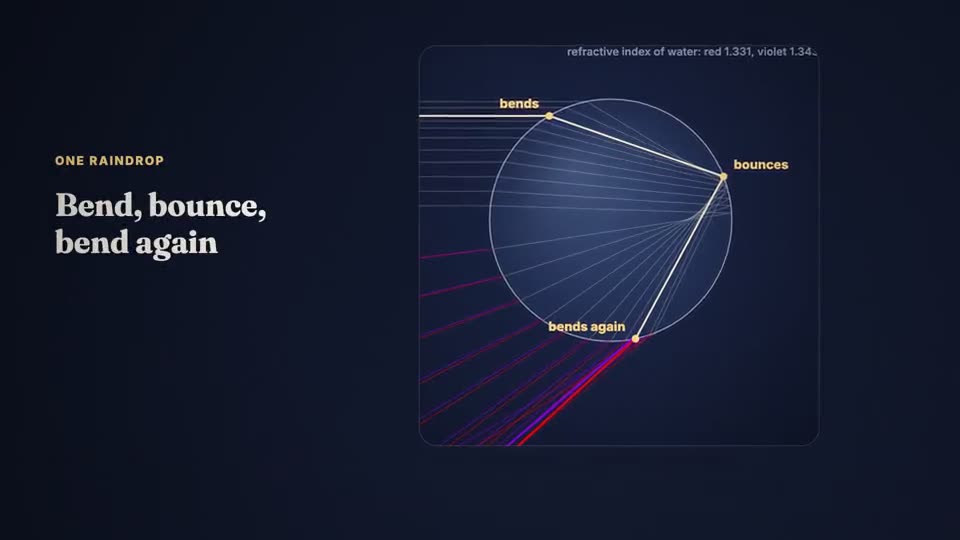
A podcast episode in. The same episode with synced graphics out.
/fp-podcast-broll-inserts
What it does
Give a podcast or talking-head episode a visual layer. When the speaker says a number, a list or a striking line, a graphic lands on that word, and the speaker stays on screen.
Stat cards, bars, lists and quotes, synced to words
Speaker kept on screen in picture-in-picture
Every insert only states what was said
You bring, you get
You bring
Bring the finished episode video, the show and speaker names, and your brand colours, fonts and logo if you have them. You approve the insert plan as a table first.
You get
You get the episode as a 16:9 MP4 with about one insert per 60-90 seconds of talk and its own audio as the main track, plus a 9:16 clip if you want one.
Perfect for
Video podcasts
Interview episodes
Talking-head videos
Podcast clips
Stat and quote cards
How it works
TRANSCRIBEEvery word with its time.
PLANPick moments. Approve the insert table.
FRAMESExtract footage, set the face position.
PREVIEWCheck wording, timing and the PiP.
RENDERRender only the insert windows.
MIXEpisode audio first, soft effects, mastered.
What you need
Runs in Claude Code or a Claude app with local code execution. Needs Node.js 18+, Python 3 with numpy and faster-whisper, ffmpeg, and about 1 GB of disk per 10 minutes of footage.
Example prompts
FULL EPISODE GRAPHICS
You bring: The finished episode, show and speaker names, your colours and logo.
Use fp-podcast-broll-inserts to add graphics to episode_31.mp4, a 50 minute episode of The Margin Notes with host Sam Rivera and guest Priya Shah. Logo and colours are in brand/.
You get: The episode as a 16:9 MP4 with about 40 stat, bar, list and quote inserts, each landing on its spoken word with a small "heard at" timecode. The speaker stays on screen throughout.
INTERVIEW CLIP FOR SHORTS
You bring: A short clip from your episode and the guest's name, spelled right.
Use fp-podcast-broll-inserts on clip_ep12_pricing.mp4, a 3 minute stretch where my guest Lena Park names three pricing mistakes. 16:9, plus a 9:16 cut for Shorts.
You get: A 16:9 MP4 and a 9:16 cut centred on the guest's face, with a side card that builds the three mistakes as each is named, and soft pops ducked under speech.
COACH WEEKLY UPDATE
You bring: Your talking-head video, your name, and your two brand colours.
Use fp-podcast-broll-inserts to add visuals to my 12 minute talking-head video weekly_update.mov. Speaker: Dana Cole. Brand colours: #1F2A44 and #F2B134.
You get: A 12 minute 16:9 MP4 with about 8-12 inserts, every name and number checked with you first, your own audio as the main track and no music bed added.
Not the right fit?
Not for a narrated explainer from scratch (use Topic Explainer (fp-topic-explainer)) or a Top-N short (use Listicle Short (fp-listicle-short)).

 Claude quick start