
Skills and plugins in Cowork: build, install and test them
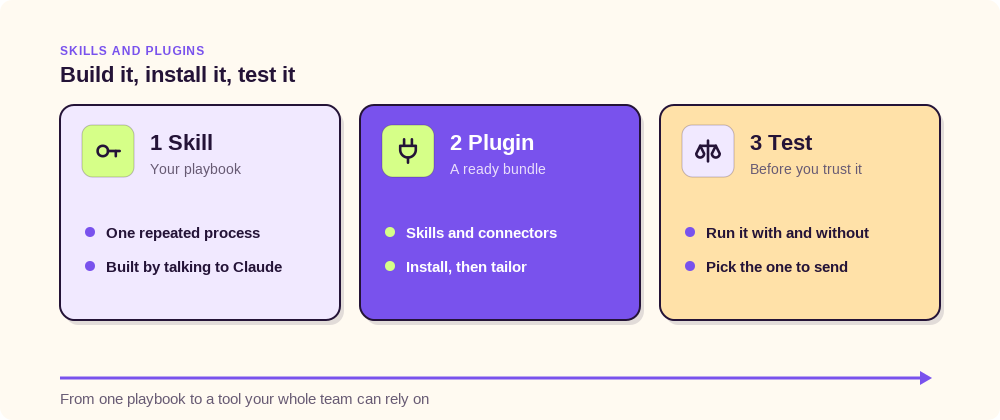
A skill teaches Claude one of your processes. A plugin bundles skills into something your whole team can install. This guide shows how to build a skill by talking, install and tailor a plugin, and test both before you rely on them.
Based on Anthropic's Introduction to Claude Cowork course and Help Center, checked October 2026 and rewritten and illustrated by Fer Patel. Menus and names change, so trust the labels you see in Claude.
Skills
Know what a skill is
A skill is a reusable playbook: a folder of files that teaches Claude how to do one kind of work your way. When a task matches an installed skill, Claude loads it on its own, or you can ask for it by name. Build one for any process you keep re-explaining, such as a report, a format you always use, or a checklist.
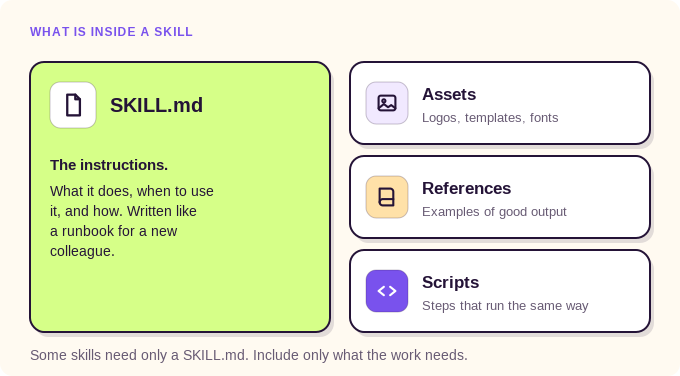
- Instructions: a SKILL.md file that says what the skill does, when to use it and how, written like a runbook for a new colleague.
- Assets: logos, templates, slide masters and fonts.
- References: examples of good output, style guides and past work.
- Scripts: small bits of code for steps that must run the same way every time.
Skills
Build one by talking
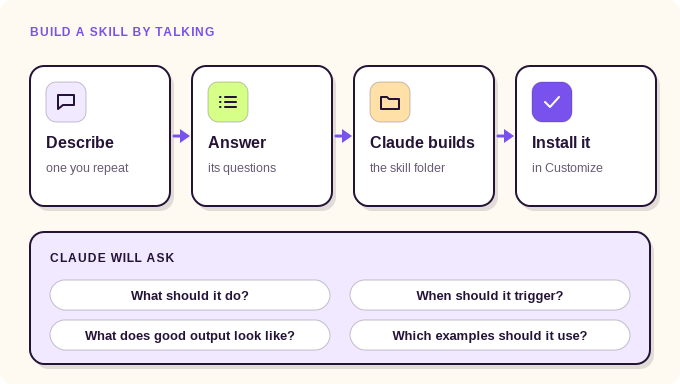
You do not write the skill yourself. You describe the process to Claude in a Cowork conversation, and it asks what it needs to know. Point to real examples: a template, a past output, a checklist. New to skills? Build your first Claude skill covers the basics.
- Start a new Cowork conversation.
- Say you want a skill for one recurring process, and ask Claude to walk you through what it needs.
- Answer its questions: what the skill should do, when it should trigger, what good output looks like, and which examples to use.
- Install the skill folder Claude makes, then find it under Customize.
Skills
Refine it in place
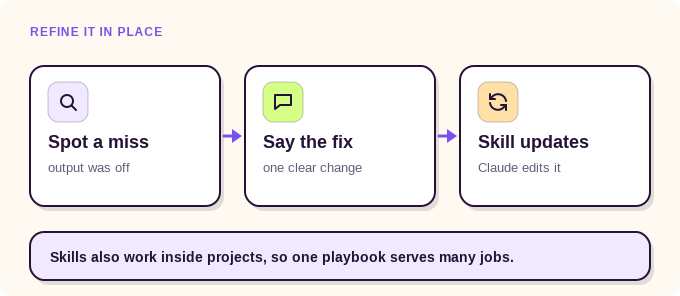
A first skill is rarely perfect. When the output misses, tell Claude the correction in a conversation and ask it to update the skill. Claude edits it in place. Skills also work inside any conversation, including ones inside a project.
- Describe the miss plainly. For example: "add a step that flags any invoice over a set amount" (an example).
- Make one change at a time, so you can tell what helped.
- Ask Claude to update the skill, then run it again.
- Not sure a process should be a skill at all? See Claude skills vs Projects.
Plugins
Know what a plugin is
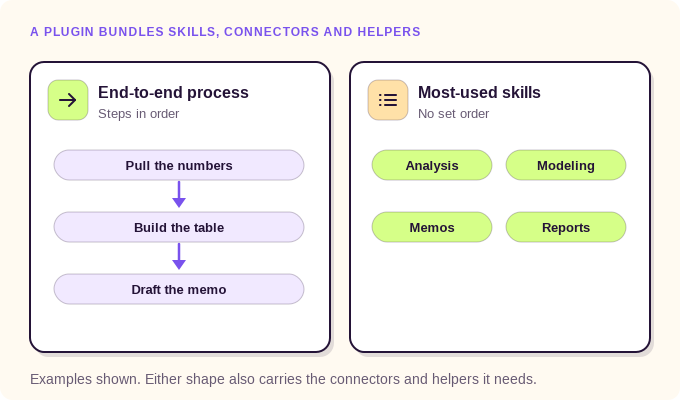
A plugin is a package of skills built around a job. A single skill captures one playbook. A plugin bundles several skills with the connectors and subagents they rely on, so anyone who installs it works the same way. A subagent is a helper a skill can start to handle one part of a task on its own.
- End-to-end process: skills for each step packaged so the whole process runs as one, such as a monthly close.
- Most-used skills: a team's frequent, independent skills in one install, such as a finance toolkit.
- Anthropic's catalog is the default marketplace, and your organization can add its own.
Plugins
Install a plugin
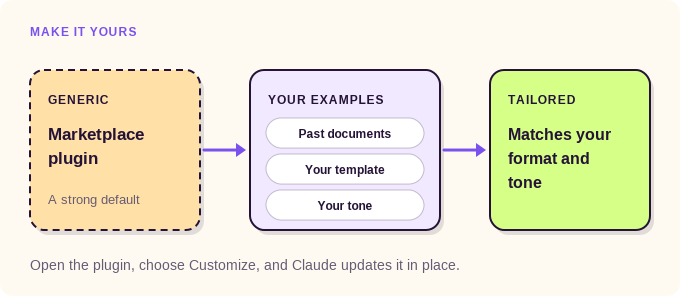
You install plugins from the marketplace inside Cowork. A marketplace plugin is a strong default, not a final answer, so expect to adjust it.
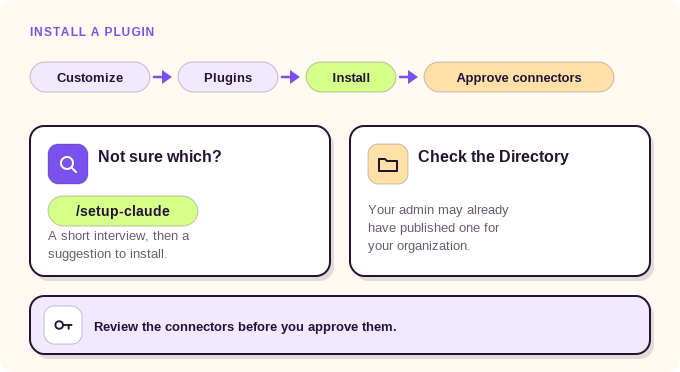
- Go to Customize, then Plugins. Browse for the plugin that fits your work and click Install.
- Review the connectors it uses before you approve them.
- Not sure which one? In a new Cowork conversation, type /setup-claude. Claude asks a few questions about your work and suggests a plugin you can install from the chat.
- Check the Directory first, because your admin may have published a plugin for your organization. On Team and Enterprise, Cowork and Skills must both be turned on for the organization.
Plugins
Customize it
Make the plugin yours by showing Claude your own work. A plugin built for everyone will not match your format and tone until you tell it how you work.
- Go to Customize, then Plugins, and open the plugin.
- Click Customize. That opens a new Cowork task.
- Share examples, assets and context: past documents, your template, your tone. For example, share your last few contracts and ask Claude to update a skill's format to match (an example).
- Claude updates the plugin in place. Run it on a real task to check.
Test it
Test before you trust
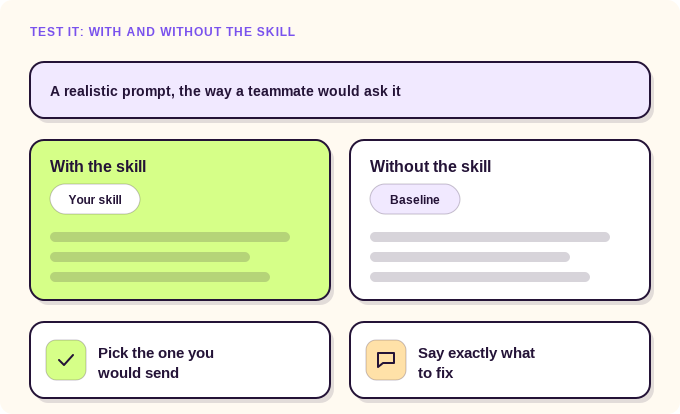
Test a skill before you share it or rely on it. You know how to work around its quirks, but a teammate will phrase things differently, give different inputs and hit edge cases. A try-out needs no code: you send a realistic request, look at the result, and say what to fix.
- Ask Claude's skill-building helper to run a test. The Academy lesson calls it skill-creator. It writes at least two realistic prompts and, for each, makes one output with your skill and one without it, as a baseline.
- For each pair, choose the one you would send. Say what made it better, or exactly what is missing, such as "the tone is too formal."
- Change one thing at a time and run the same prompts again. Most skills are ready after one or two rounds.
- It is ready when the cases you care about clearly beat the baseline. Write down the cases it does not handle yet.
Get the free Cowork skill and test kit
A prompt that has Claude interview you and build a skill, a worksheet for picking your first one, and a checklist for testing it and installing a plugin, on two pages you can print or paste into Claude.
 Skill-building promptA fill-in prompt that interviews you and builds the skill.
 Test checklistTest a skill, then install a plugin, one box each.